Trusted by Solo Practitioners, Small Firms, and Enterprise Teams












One Tool for Many Hats.
From contracts and patents to trademarks and compliance, watch JR3 draft across document types, inside Word.
5-minute Demos:
No More New Tools. No Copy-Pasting.
No Tab-Switching.
We've built the prompting intelligence, the file processing pipeline, and the firm-specific configuration layer, so your team gets expert-quality legal output without being prompt engineers. Every document is processed specifically for AI consumption, not just dumped into a chat window. Start in your document. Junior handles the rest.
Activating from Your AI Conversion
1
Generate a draft in ChatGPT
2
Use JR3 to structure and refine through ChatGPT
3
Seamlessly import and finalize in Word or Google Docs
Starting in Your Preferred Doc Editor
1
Open any document in Word or Google Docs
2
Activate JR3 from the sidebar
3
Draft, review, and refine without leaving your editor
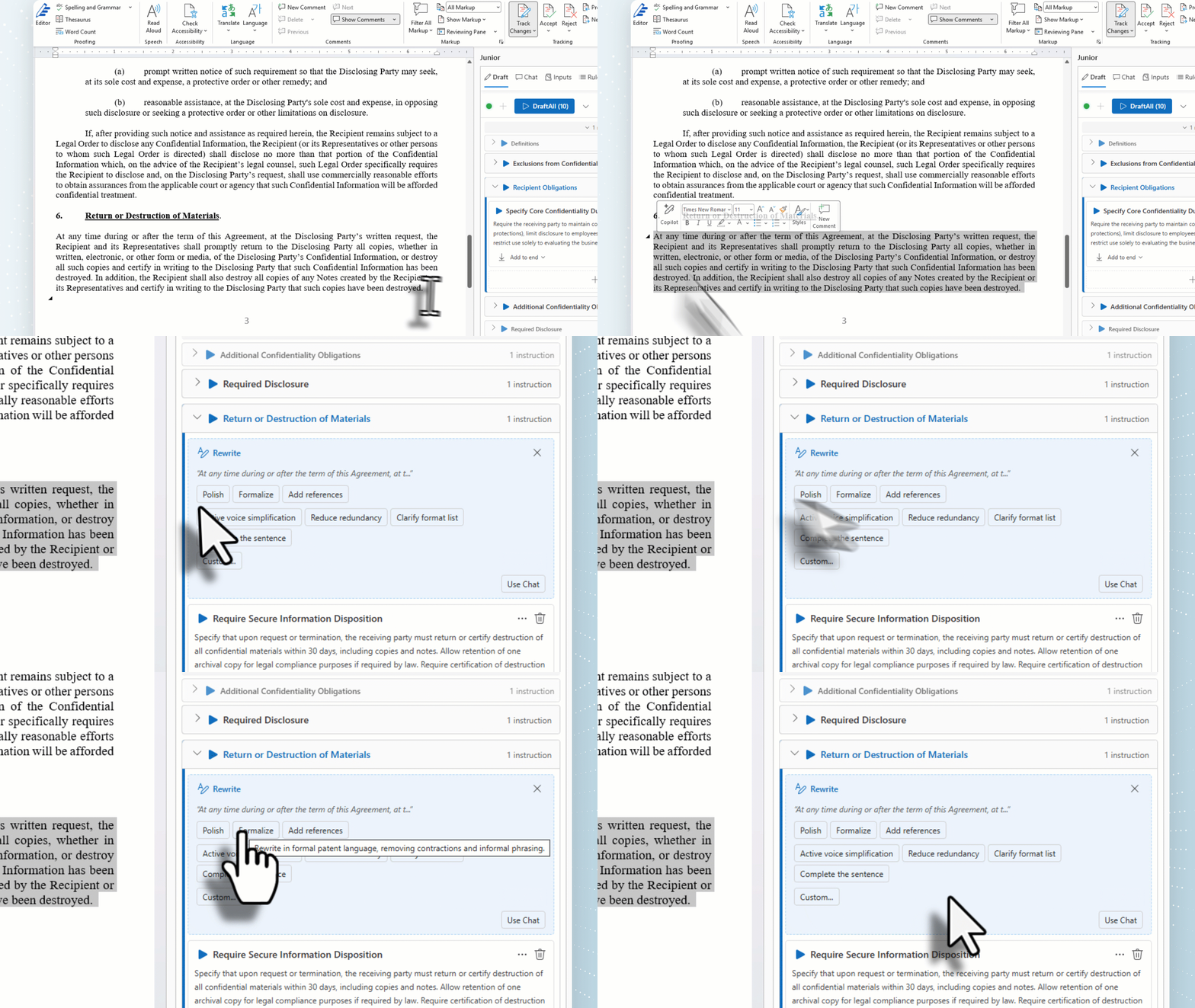
Every Document Task. One Platform.
From template to first draft to final delivery, Junior handles the full document lifecycle so your team spends time on legal work, not document drafting.
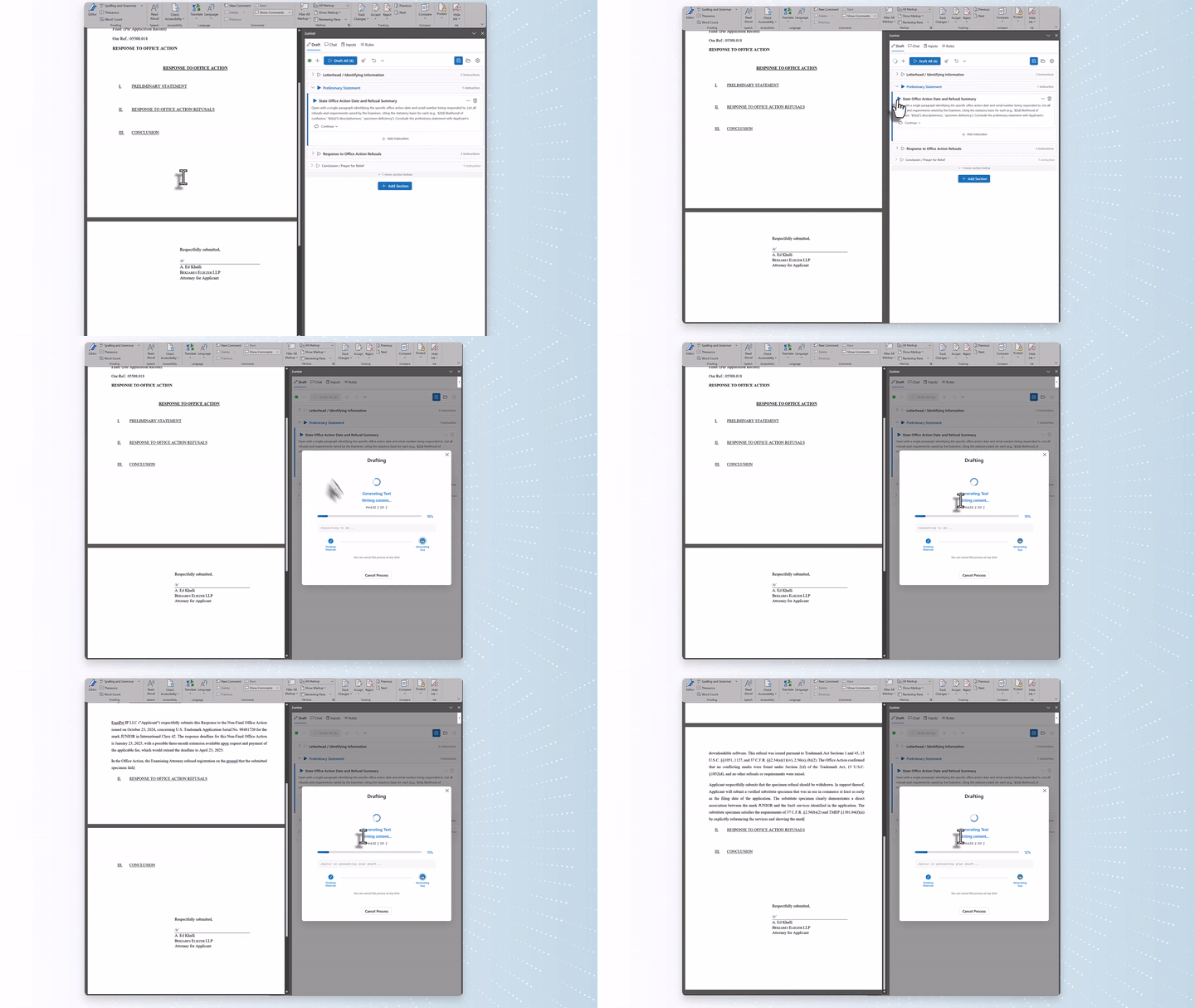
AI-Powered Drafting
Describe what you need in plain language. Junior's AI generates contracts, compliance memos, IP filings, and more.
Document Intelligence
Upload your documents. Junior applies your language, clause preferences, and standards automatically.
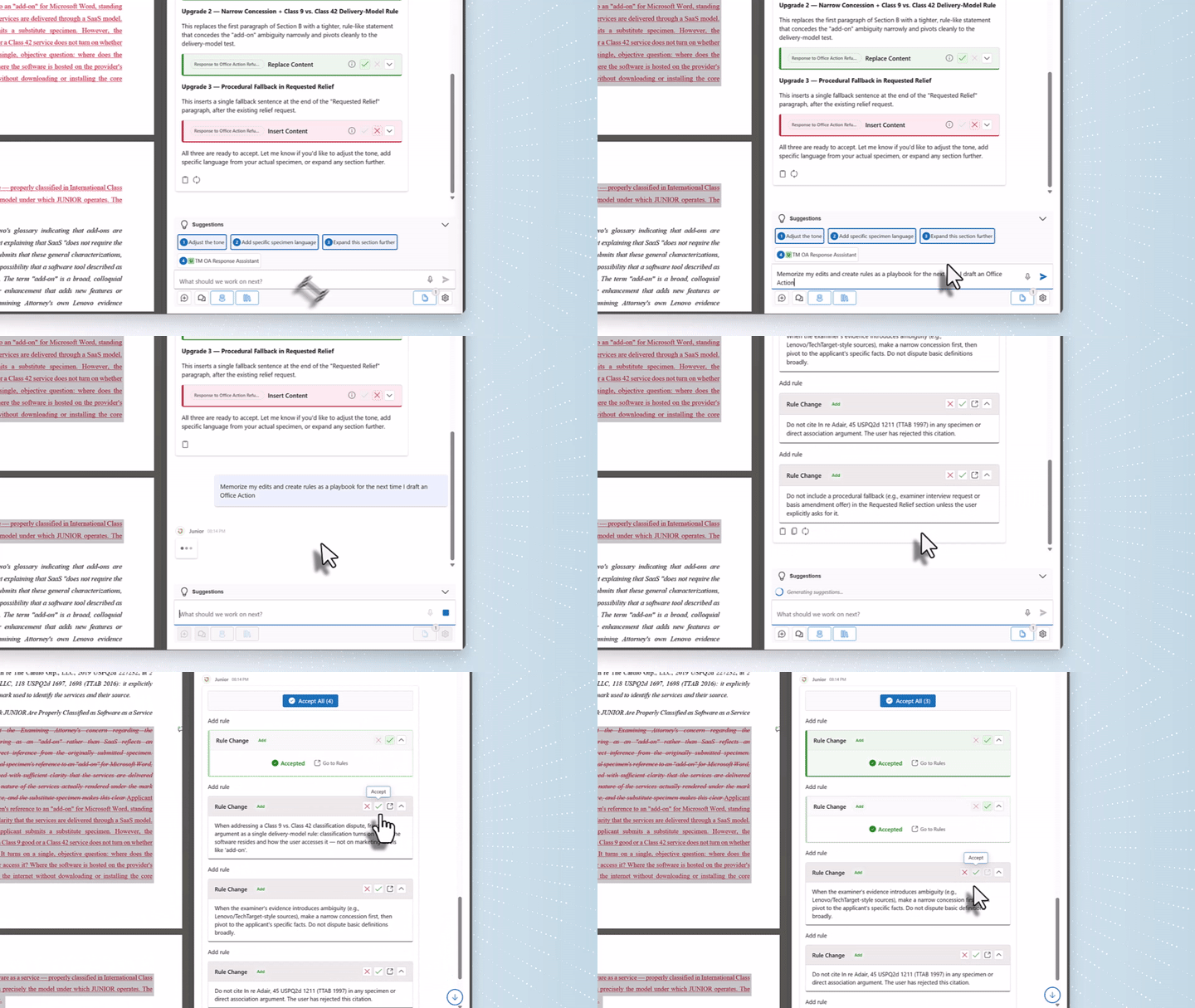
Automated Workflows
Define your review and drafting steps once. Junior runs them automatically on every document.
Consistent Output
Define prompt sequences that enforce your team's style, tone, and legal standards across every document, regardless of who drafts it.
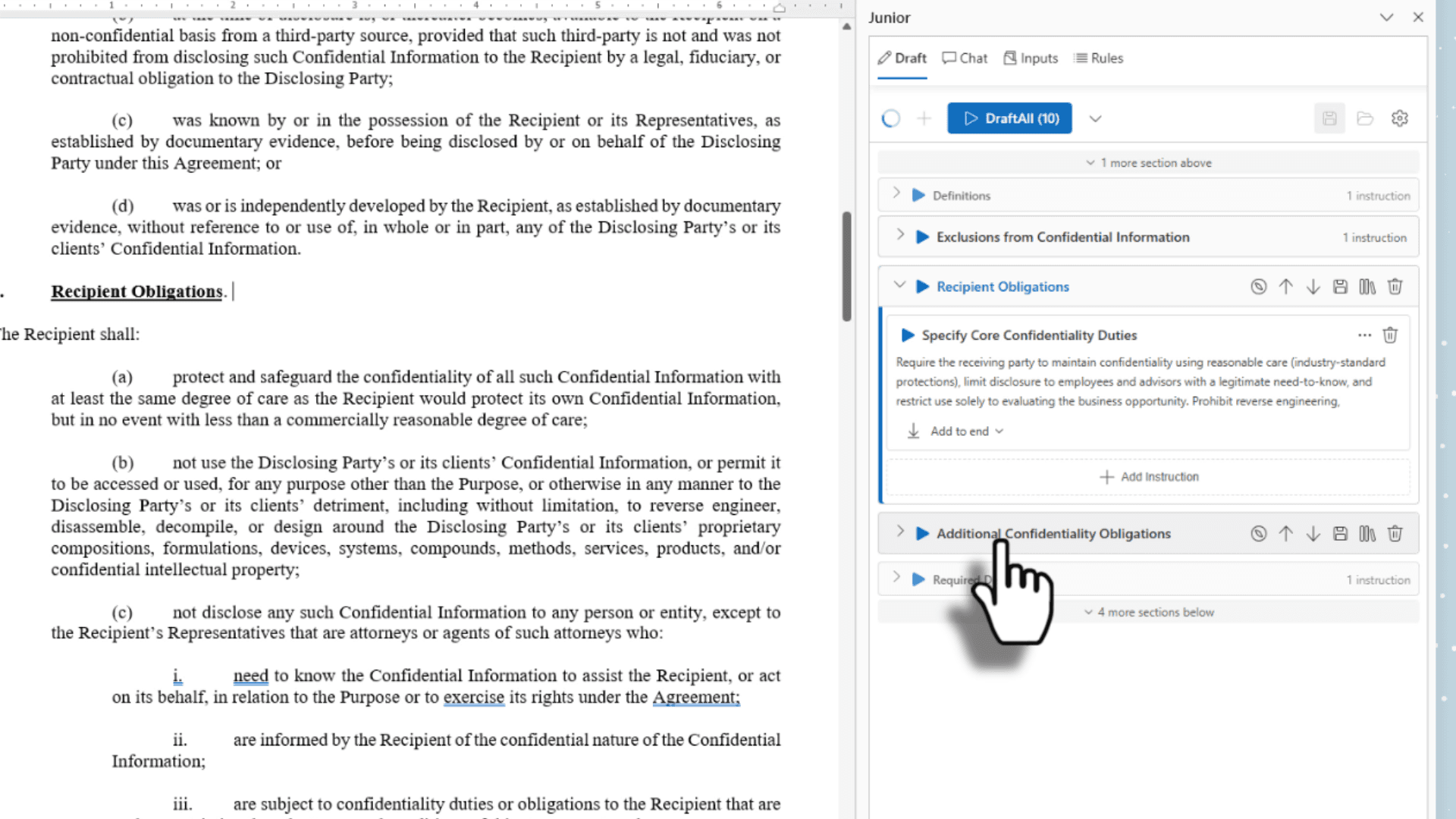
Document Completion
Upload partial, legacy, or incomplete documents. Identify missing sections and insert required legal language automatically.
Client Deliverables
Share finalized documents with clients and vendors. Maintain institutional style and eliminate repetitive manual work.
Practice Areas
Drafting Support Across Every Practice Area
Whether you're a solo attorney or a full in-house department, JR3 brings specialist-grade templates, document intelligence, and workflows to every practice area your team touches.
Coming Soon
Templates from the Best in Each Field
Access document frameworks contributed by recognized specialists, including employment attorneys, M&A counsel, IP litigators, compliance experts, and more. Use their guidelines directly inside Junior, or contribute your own to reach thousands of in-house legal teams.
A growing list of contributors
Specialist templates (Coming Soon)
Updated regularly
Employment & Labor
Specialist templates
Offer Letters & Employment Agreements
Severance & Separation Agreements
Non-Compete & Confidentiality Provisions
M&A & Corporate
Specialist templates
Term Sheets & Letters of Intent
Board Resolutions & Written Consents
Shareholder & Equity Agreements
Intellectual Property
Specialist templates
IP Assignment & Transfer Agreements
Technology Licensing Agreements
Cease & Desist & Demand Letters
Compliance & Regulatory
Specialist templates
Policy Documents & Employee Handbooks
Regulatory Response Correspondence
Compliance Audit Memos & Reports
Litigation & Disputes
Specialist templates
Demand Letters & Claim Notices
Settlement & Release Agreements
Arbitration Clauses & Notices
Real Estate & Transactions
Specialist templates
Purchase & Sale Agreements
Commercial Lease Agreements & Amendments
Due Diligence Checklists
Configures to Your Documents.
Aligns to Your Standards.
No two in-house legal teams work the same way. Junior adapts to your firm's documents, clause preferences, and risk tolerance, not the other way around.
Global Knowledge
Configure across employment, governance, IP, compliance, policy, and transactional documents.
Firm-Specific Intelligence
Restrict configuration to your internal documents only.
Controlled Scope
Choose whether agents draw from global datasets, internal documents, or both.
Share Intelligence, Not Just Documents
Share agents across teams
Maintain consistent contract standards
Provide controlled access to outside counsel
Version and permission management
Built for Enterprise Security from Day One.
Your documents never leave your environment. JR3 meets the strictest enterprise security and compliance requirements, so your legal team can move fast without compromising on data privacy.
Junior is not a generic chat interface or a single-purpose drafting tool with AI bolted on top.
It's built on Junior's flagship patent AI drafting platform, developed by attorneys and engineers for the most precise, demanding legal writing that exists. Patent drafting demands structural accuracy, technical depth, and strict consistency across long, complex documents. That same foundation powers everything in-house legal teams produce, from NDAs to governance frameworks.
Join the Early Access Program.
We're partnering with solo practitioners, small firms, and in-house legal teams ready to replace fragmented, time-consuming workflows with one intelligent platform. Spots are limited.
Common Questions
Is our data used to train shared models?
No. Your documents and inputs are never used to train any shared model. All dynamic training stays within your firm's isolated environment.
How does J3 integrate with our document management system?
JR3 works natively inside Word and Google Docs. Integrations with leading DMS platforms are on the product roadmap.
Which AI models power J3?
JR3 runs on GPT, Claude, and Gemini, each configured for legal drafting. Your team controls which models are active and when.
How do we control outside counsel access?
Firms create scoped access profiles that restrict what outside counsel can generate or view, without exposing internal documents or configured rules.
What happens to our documents after processing?
Documents are processed in transit and not retained beyond the session. Your firm controls data residency and retention policies.
What security standards does J3 meet?
JR3 meets enterprise security and privacy requirements. Full documentation is available at junior.law/security.