← Back to Insights
Comparisons
Junior JR3 vs. Microsoft Copilot for Legal Document Drafting
Copilot is a general writing AI. Junior JR3 is purpose-built for legal drafting, with 18 practice areas, firm-specific style learning, and native Word and Google Docs integration.
JR3 Editorial Team
·
·
10 min read
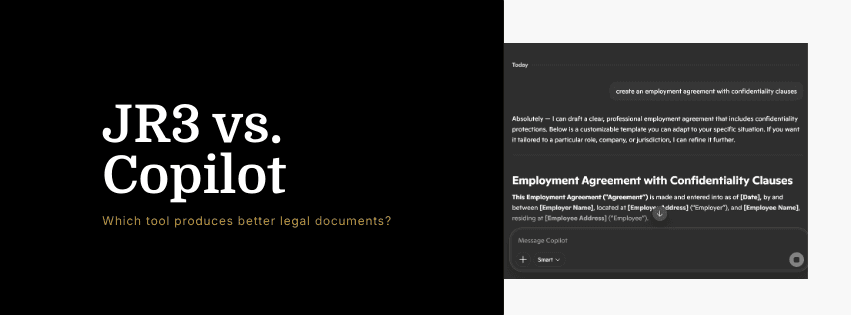
Microsoft Copilot is built into Microsoft 365 and available to anyone with a qualifying subscription. Junior JR3 is an AI document drafting platform built specifically for legal professionals. Both work inside Microsoft Word. That is where the similarity ends. This guide breaks down the differences in plain terms so attorneys and legal teams can decide which tool is right for their work.
What Microsoft Copilot Does Well
Copilot is a capable general-purpose AI writing assistant. For attorneys who already use Microsoft 365, it is already available and familiar. It can help summarize long documents, draft routine correspondence, suggest edits to existing text, and assist with non-legal writing tasks like internal memos or client communications.
For straightforward tasks where legal precision is not the primary concern, Copilot is a reasonable tool.
Where Copilot Falls Short for Legal Drafting
It is not built for legal documents. Copilot does not have specialized knowledge of legal document structure. It does not know that a motion to dismiss requires a specific argument architecture. It does not know what provisions a severance agreement must contain. It does not know the standard clause conventions for a commercial lease in a given jurisdiction.
When you ask Copilot to draft a legal document, it generates plausible-sounding text. That text requires careful legal review before it can be used, because Copilot has no way to ensure it meets the structural, substantive, or jurisdictional requirements of the document type.
It does not learn your firm's style. Copilot generates output in a generic style. It cannot ingest your firm's existing documents and learn how your attorneys draft. It does not know your preferred indemnification language, your standard limitation of liability clauses, or the argument structure your partners expect in a brief.
Every Copilot draft starts from zero. Every JR3 draft starts from your firm's established conventions.
It does not cover practice areas with specialist depth. Copilot can attempt any document type, but it brings no specialist depth to any of them. JR3 has 41 M&A templates built by M&A practitioners, 34 employment templates, 19 litigation templates, 28 IP templates, and specialist coverage across 18 practice areas.
It does not work in Google Docs. For in-house legal teams and firms using Google Workspace, Copilot is simply not available in their primary drafting environment. JR3 works natively in both Word and Google Docs.
Where JR3 Has an Advantage for Legal Work
Purpose-built document architecture. Every document type in JR3 has its own reasoning object: a structured understanding of how expert practitioners draft that document, what sections it requires, what clauses are standard, what language is appropriate for the practice area. This is not a general writing model applied to legal documents. It is a system designed from the ground up for legal document production.
Firm-specific Tailored Layer Model. JR3's TLM learns from your firm's existing documents. Upload a set of your current agreements, briefs, or filings. JR3 analyzes your clause preferences, structural conventions, and language style. Every subsequent draft reflects that learning. The result reads like your firm wrote it.
Broader integration. JR3 works inside both Microsoft Word and Google Docs. For firms and legal departments using either environment, the experience is the same: native integration, no platform switching, no copy-pasting.
Zero data retention by design. Documents processed by JR3 are handled in transit only, never stored, and never used to train shared models. For attorneys with confidentiality obligations, this is a meaningful distinction.
Who Should Use Which Tool
Use Microsoft Copilot if your primary need is general writing assistance, summarization, or internal communication drafting. If you do not need practice-area-specific legal document structure. If you are already paying for Microsoft 365 Copilot and want to use what you have.
Use Junior JR3 if you draft legal documents as your primary work product. If you want AI that understands the structure and conventions of your specific document types. If you want the AI to learn and reflect your firm's drafting style. If you need coverage across multiple practice areas.
Use both if you want Copilot for general productivity tasks and JR3 for legal drafting specifically. They are not competing for the same job.
Frequently Asked Questions
Can I use JR3 alongside Microsoft Copilot?
Yes. They serve different functions. Copilot is a general productivity tool; JR3 is a legal drafting tool. Many attorneys use both in the same Word environment.
Does JR3 require a Microsoft 365 subscription?
No. JR3 is a standalone subscription that works with your existing Word or Google Docs installation. You do not need a Microsoft 365 Copilot add-on.
Is Copilot safe for confidential client documents?
Copilot's data handling depends on your organization's Microsoft 365 configuration. JR3 uses zero data retention by design: documents are processed in transit and never stored, regardless of plan.
Which tool produces better legal documents?
For legal-specific document types, JR3 produces more structured, practice-area-appropriate output because it is purpose-built for that task. Copilot produces better output for general writing tasks. The right comparison is: which tool was designed for the job you are doing.
See JR3 in action for your practice area
Sign up and get access to all 18 practice areas and the complete template library.