Junior Universe
The Patent Intelligence Workbench
Explore patent data, study examiners, map claims, analyze targets, and turn strategy into work product — all inside Junior Universe.
Trusted by Leading Organizations










Direct Data Connections




From Patent Data to Work Product
The A-to-Z Patent Intelligence Workflow
Universe connects every step of your patent workflow — from initial research through structured analysis to polished work product — in one integrated workspace.
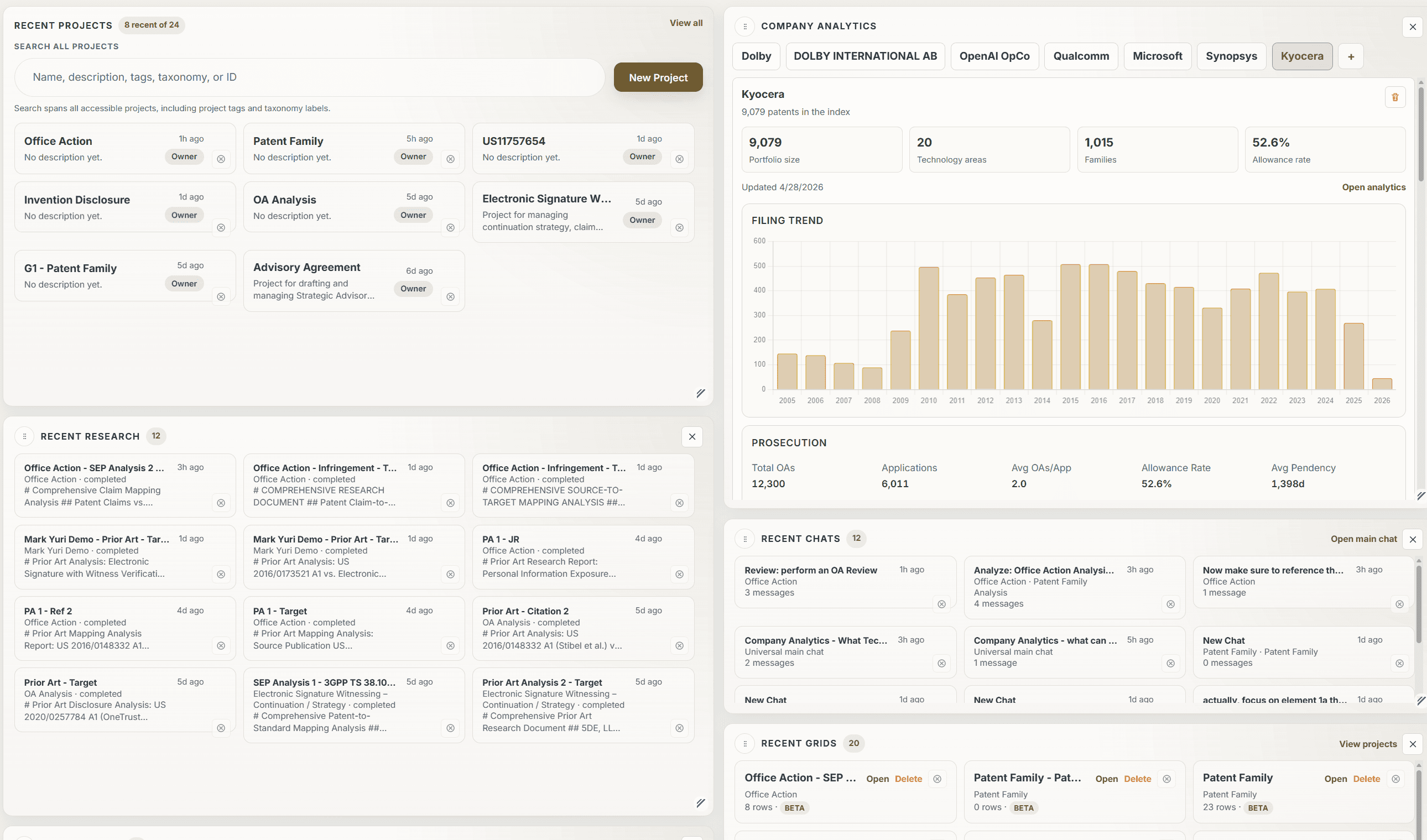
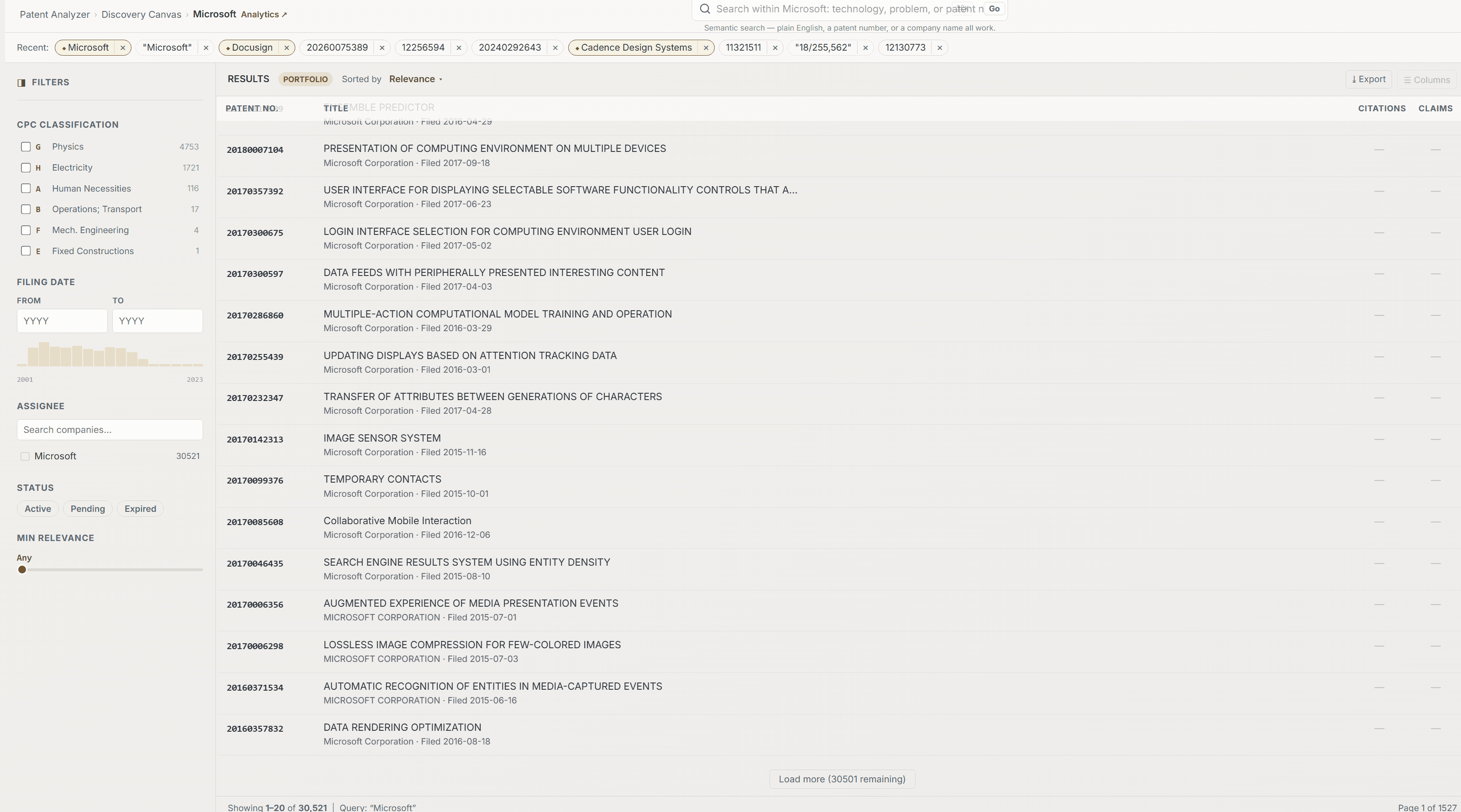
Patent Intelligence Dashboard
Track clients, companies, filings, allowance rates, and recent work. Follow patent activity across jurisdictions and move from dashboard insights into projects.
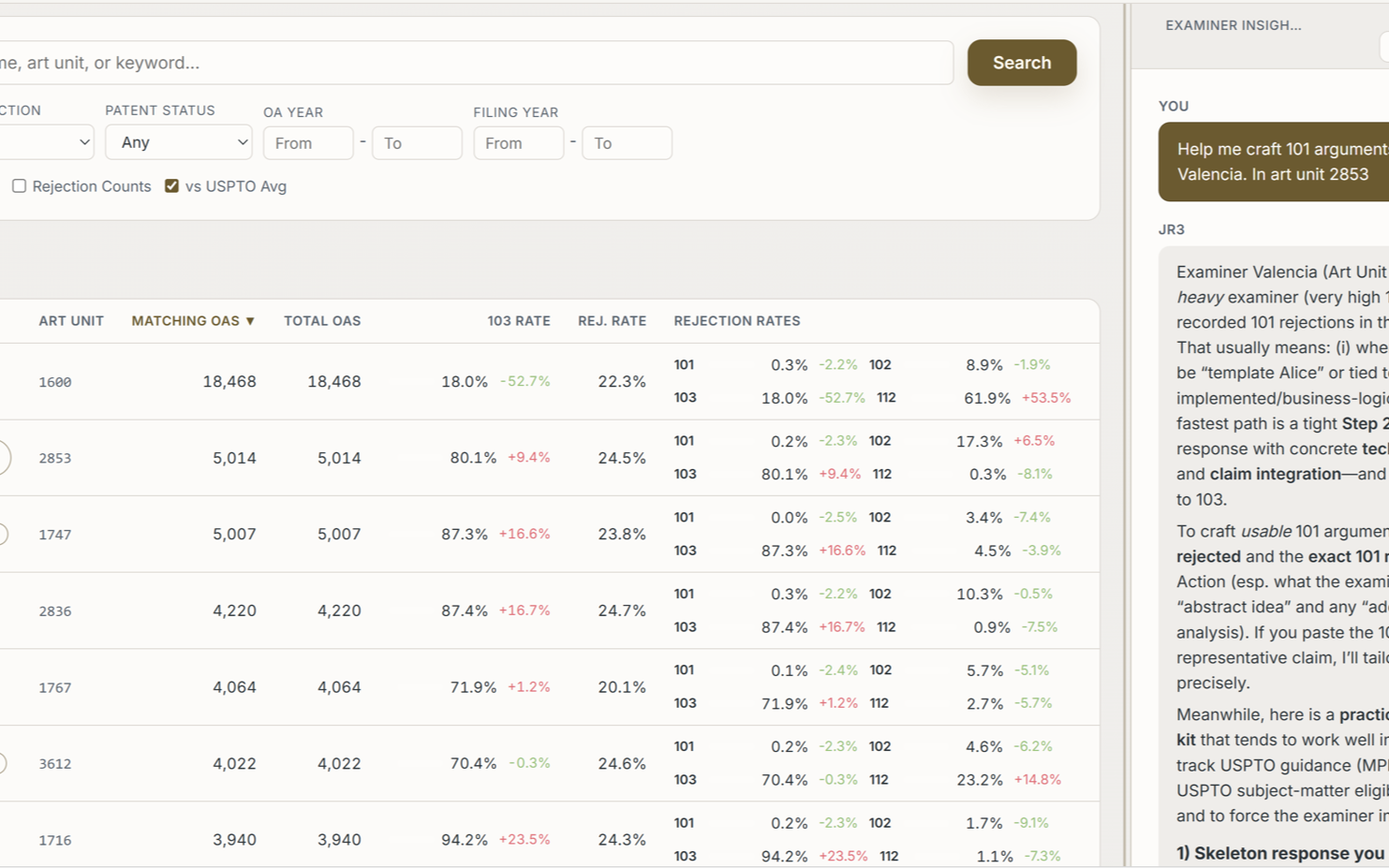
Examiner Strategy Agents
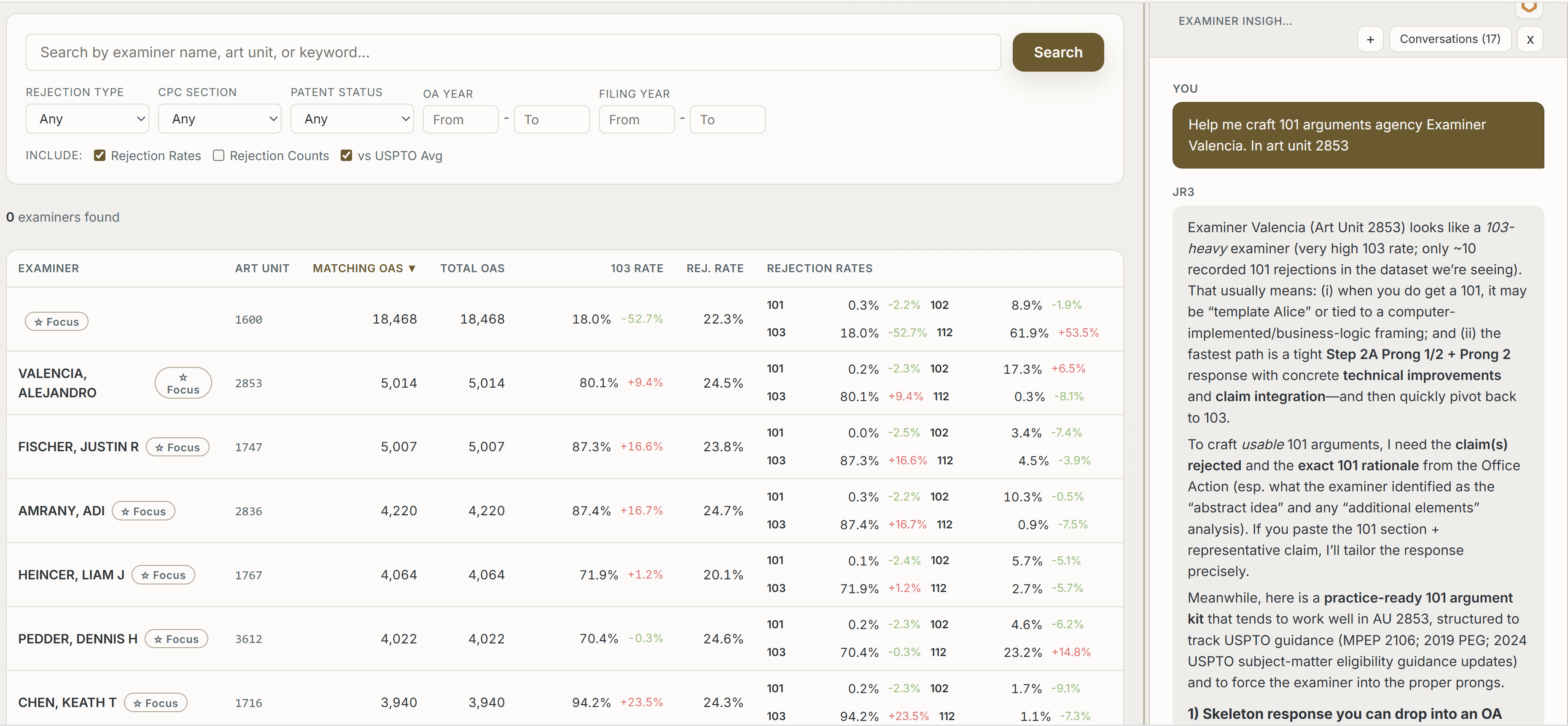
Study examiner history and rejection patterns, then recommend arguments. Junior helps turn examiner data into prosecution strategy — not just analytics.
Sifter + Notes
Review multiple documents side by side, ask questions, annotate, and save insights into matter context that carries into drafting.
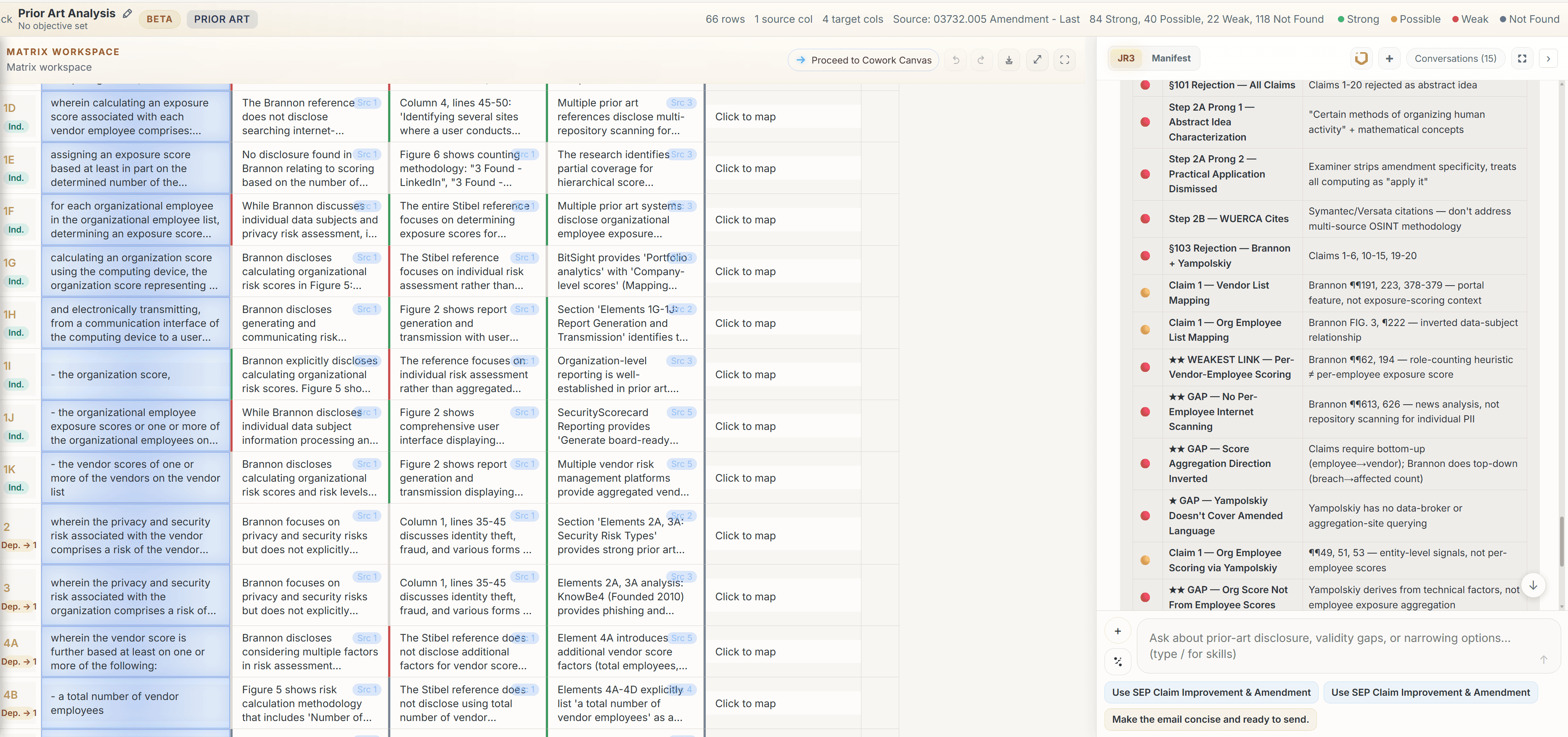
Universal Grid
Break claims into elements, map prior art, compare references, analyze combinations, and edit live. Each cell carries context, sources, ratings, and AI-editable analysis.
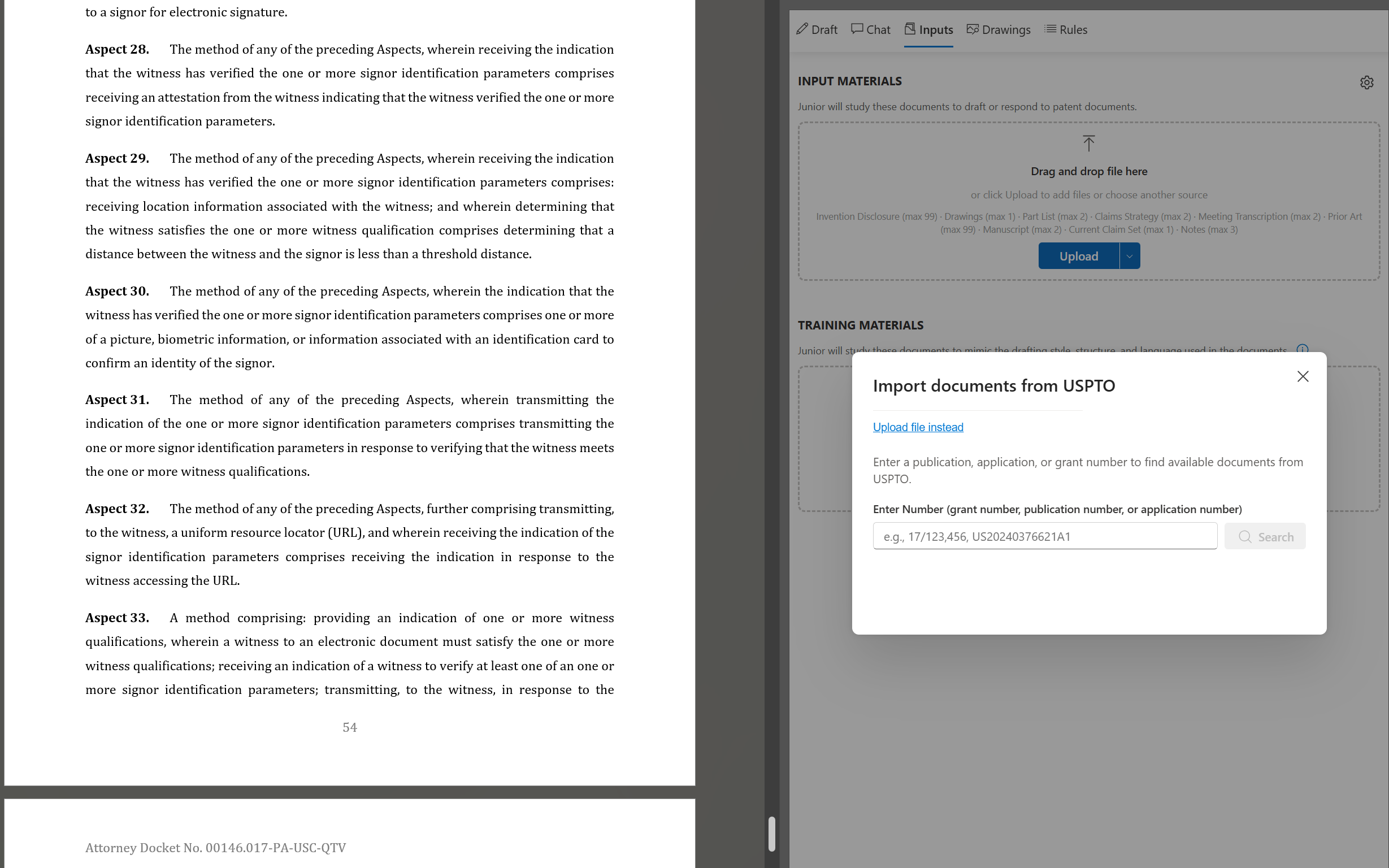
MS Word / Google Docs Integration
Take context from the universe and load it into your document editor to begin drafting or revising legal documents in accordance to your playbooks.
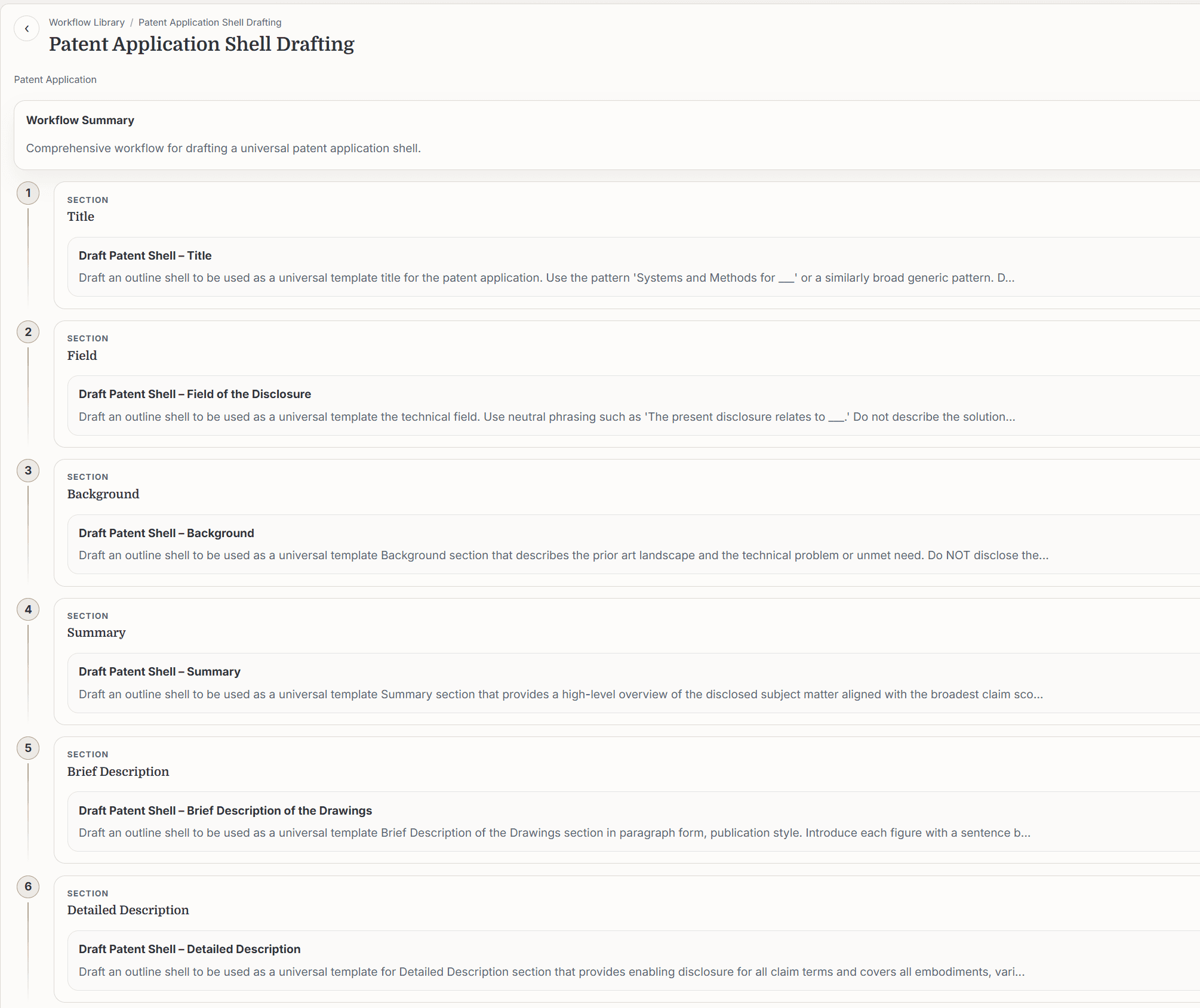
Work Product Automation
Export charts to Excel or DOCX, draft emails with attachments, build reusable workflows, generate first drafts, and share repeatable processes across your team.
Use Arguments That Already Work
This is next-level examiner intelligence. JR3 doesn't just show you examiner stats — it reviews the file wrapper and pulls strategies and insights on how to craft arguments the examiner is more likely to accept, based on historical data tied to those file wrappers allowed by the examiner.
Other tools show you examiner data. Junior turns examiner data into bespoke prosecution strategy specific to the examiner sitting across from you.
Built For Your Workflow
Whatever Your Patent Question, Universe Has the Workspace
Prosecution, portfolio value, infringement, validity, standards, or target mapping — Universe gives you the AI workspace to investigate it, structure it, and turn it into work product.
For Patent Data Teams
Explore Patent Data Like Never Before
Analyze portfolios, prosecution activity, examiner behavior, and competitive patent intelligence through an AI-native dashboard and analysis workspace.
For Patent Prosecutors
Draft With the Examiner's History in Mind
Create AI agents that study examiner behavior, identify arguments that worked before, and recommend prosecution strategies for the office action in front of you.
For Outside Counsel
Turn Portfolios Into Client-Ready Strategy
Score patent families, map claims to products, identify infringement targets, and evaluate standards-essential opportunities with AI-powered grids and research workflows.
For Patent Litigators
The AI Grid for Patent Litigation Strategy
Map patent families against targets, analyze prior art, challenge validity, and build structured claim charts in the most advanced AI grid for patent disputes.
Not a Spreadsheet. A Legal Reasoning Grid.
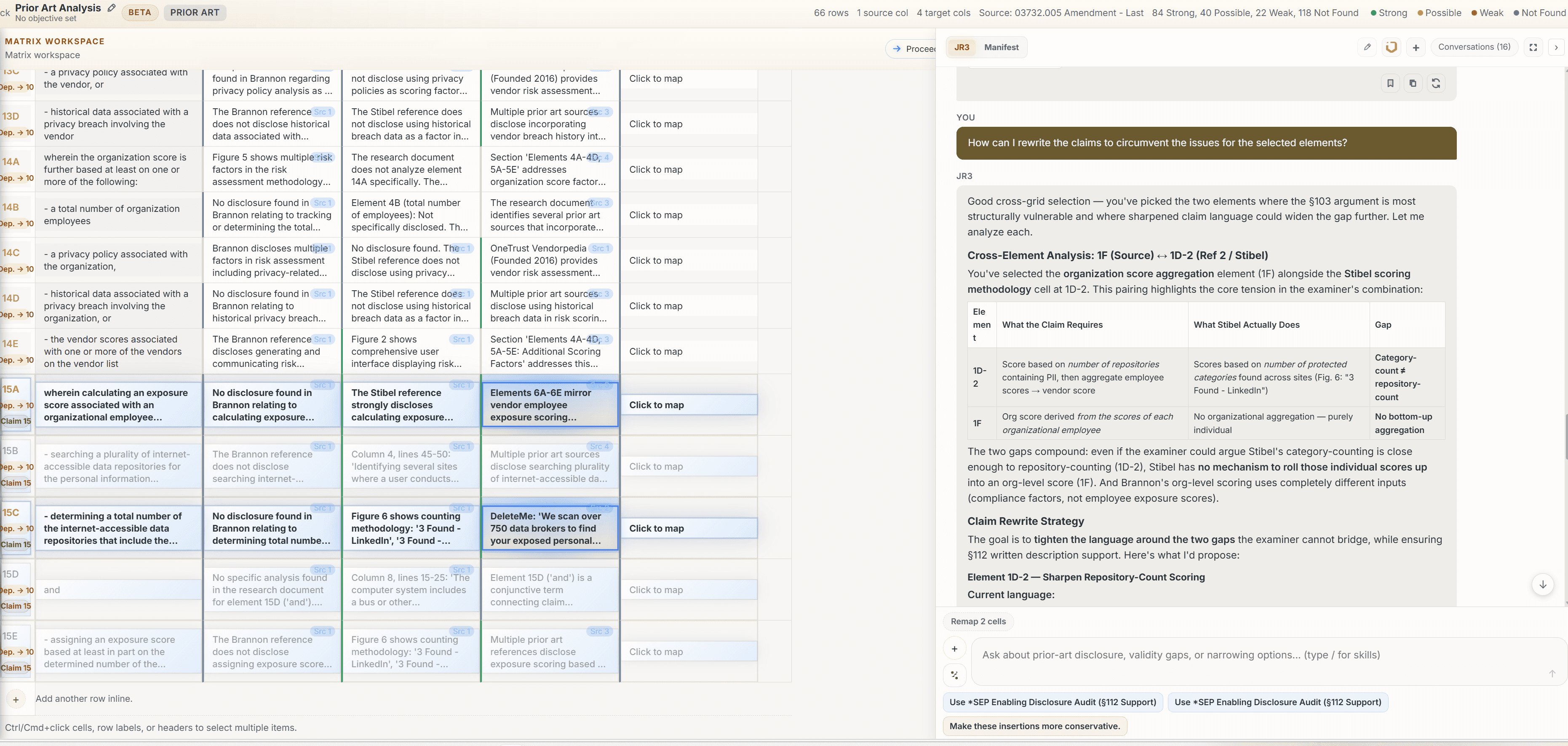
The Universal Grid understands claims, references, arguments, comments, sources, and AI-generated analysis. Map claim elements, select cells, ask Junior for the weakest argument, remap with new context, and export the result.
Break claims into elements
Map references automatically or manually
Select multiple cells and ask for legal analysis
View source-backed manifest data
Remap with new context
Export to Excel, DOCX, or email
AI-Powered Claim Charting
Break claims into elements, map references automatically or manually, and select multiple cells to ask Junior for the legal argument that connects them.
Source-Backed Analysis
View source-backed manifest data for every cell. Ratings, properties, references, and comments give attorneys a fully auditable analysis behind each mapping.
Easy Onboarding
Junior Teaches Users How to Use Junior
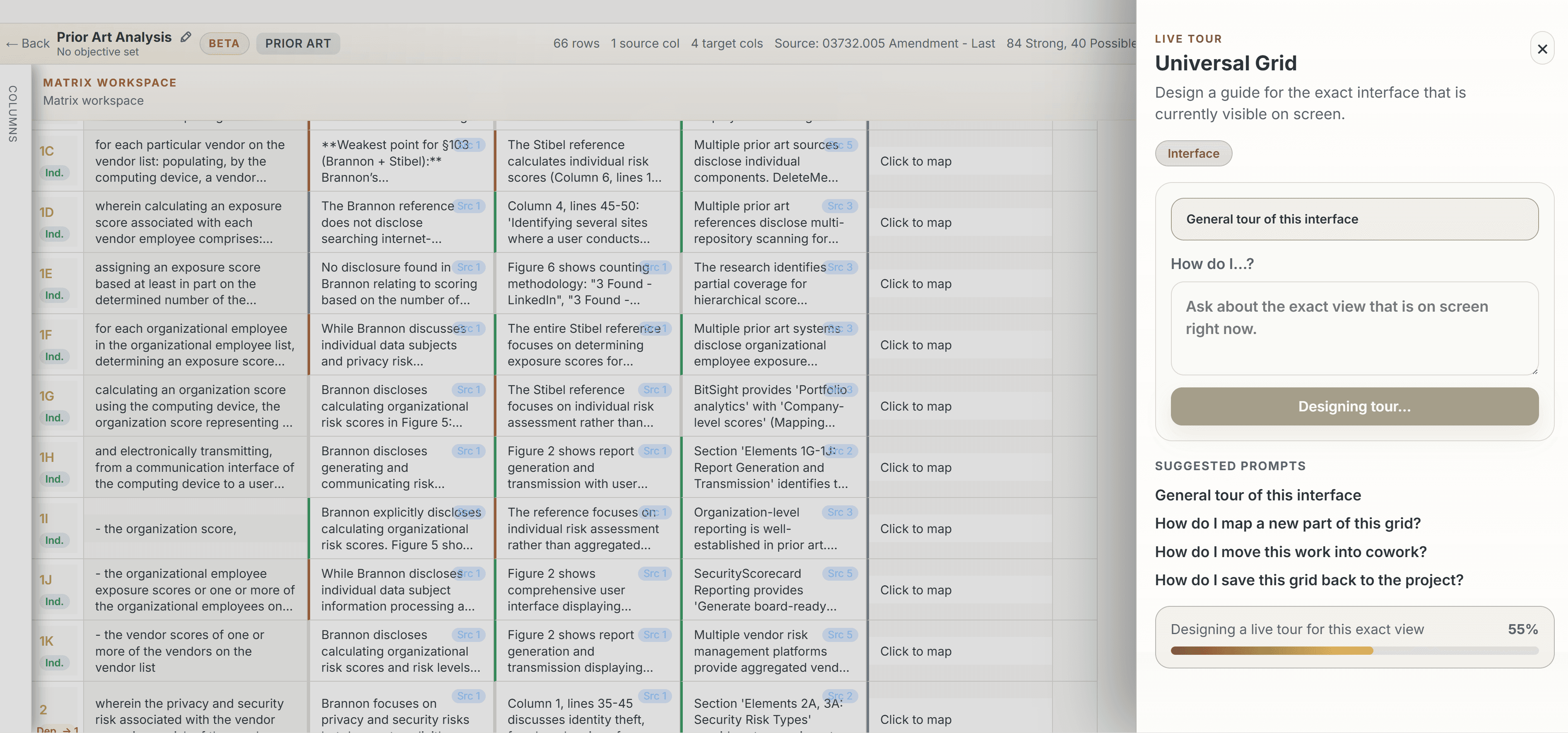
Complex tools usually require training. Junior's guided tour lets users ask what is on the screen, how to use a feature, or what to do next. Instead of sending users to a manual, Junior can explain the interface and walk them through the next step.
The Sifter Canvas
Study the Record Before You Draft
The Sifter Canvas allows you to study multiple documents and prepare for the matter. JR3 takes you to the portions of the documents you need to assess and helps you make annotations. Save your notes to the context and continue drafting your document.
Compare the office action, claims, and prior art side by side. Email your findings to colleagues and counsel — all without leaving the workspace.
The Charting Canvas
Talk to the Data and Generate Reports
Build claim charts, map examiner rejections, challenge validity, and perform patent infringement analysis in the Universal Grid — the most advanced claim charting solution for patent family analysis.
Talk to each cell and ask for strategic insight with the context of the universe. Pick a few cells in the grid and ask: How can I rewrite the claims to circumvent the issues for the selected elements? Junior will propose claim and specification adjustments.
MS Word Integration
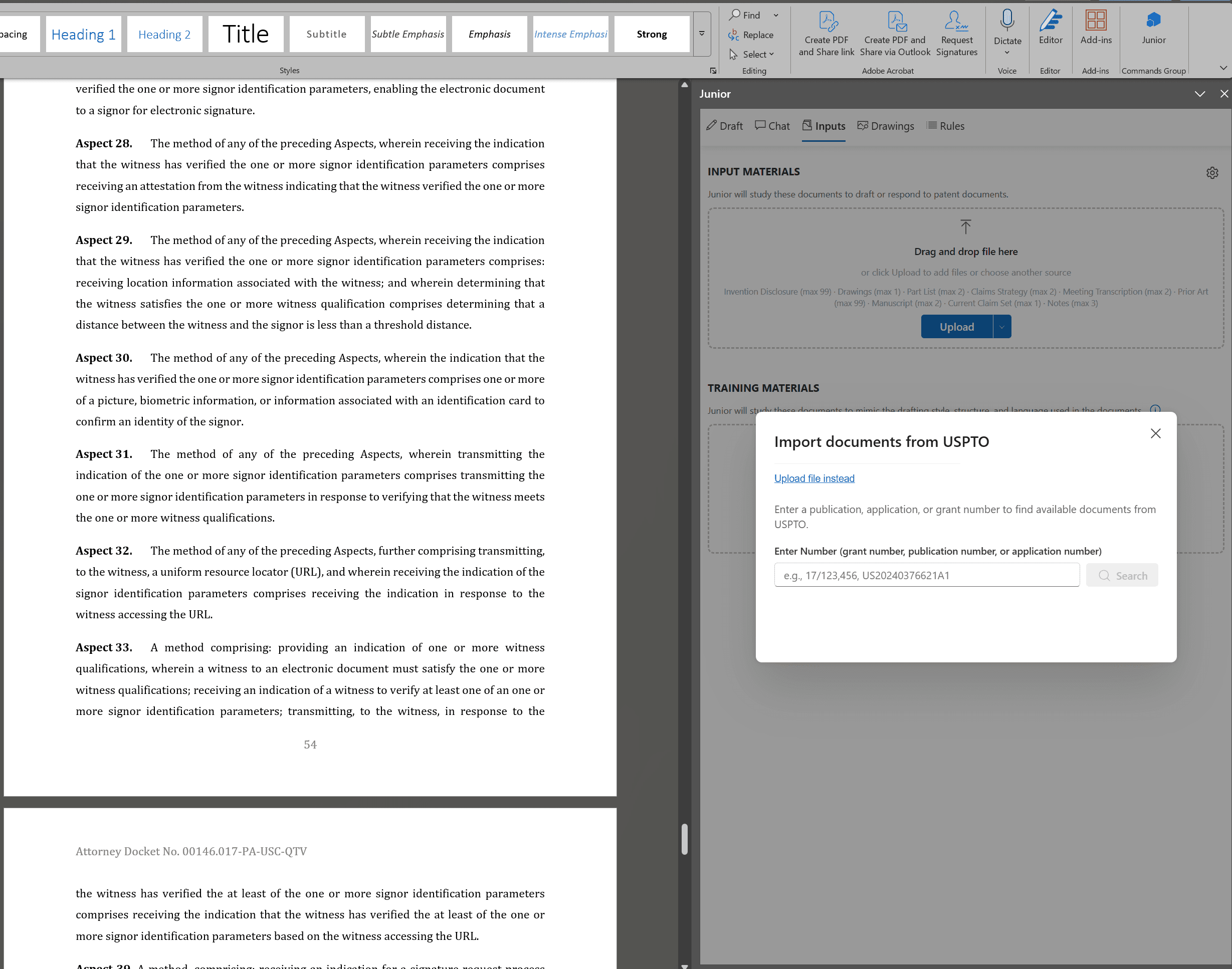
Import Your Context to MS Word | Google Docs and Begin Drafting
Take your Universe research, analysis, and strategy directly into Microsoft Word or Google Docs with our USPTO Plugin. Continue drafting where the analysis left off — seamlessly integrated into the tool you already use.
Inside the Universe Platform
Workflow Builder
Encode your drafting process into repeatable, document-specific workflows. Upload a sample, define prompts and rules, and let Junior generate a first draft from your process.
Taxonomies and Project Organization
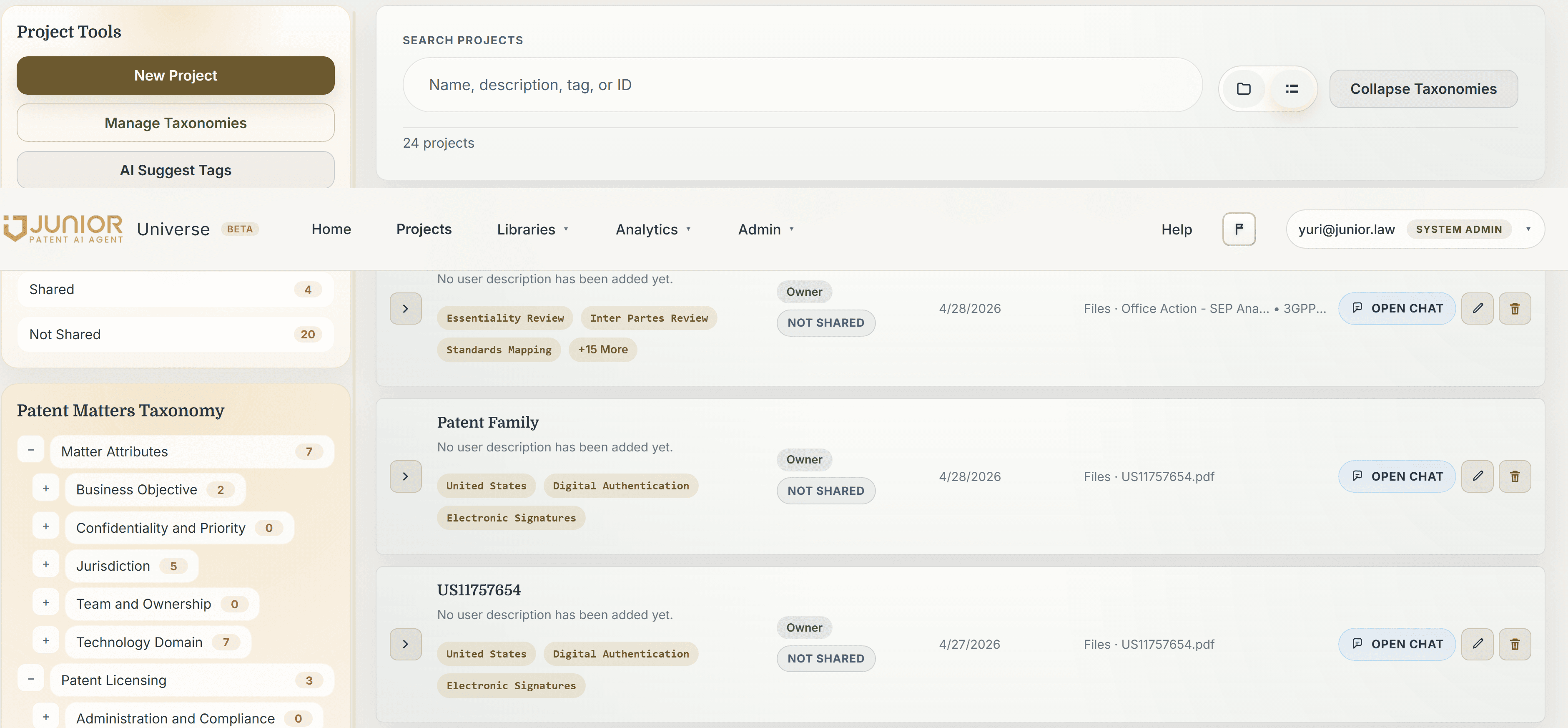
Junior adapts to your organization's taxonomy. Import existing tags, define project structures, and let the AI understand the type of work and context it should bring.
Usage Metrics and Analytics
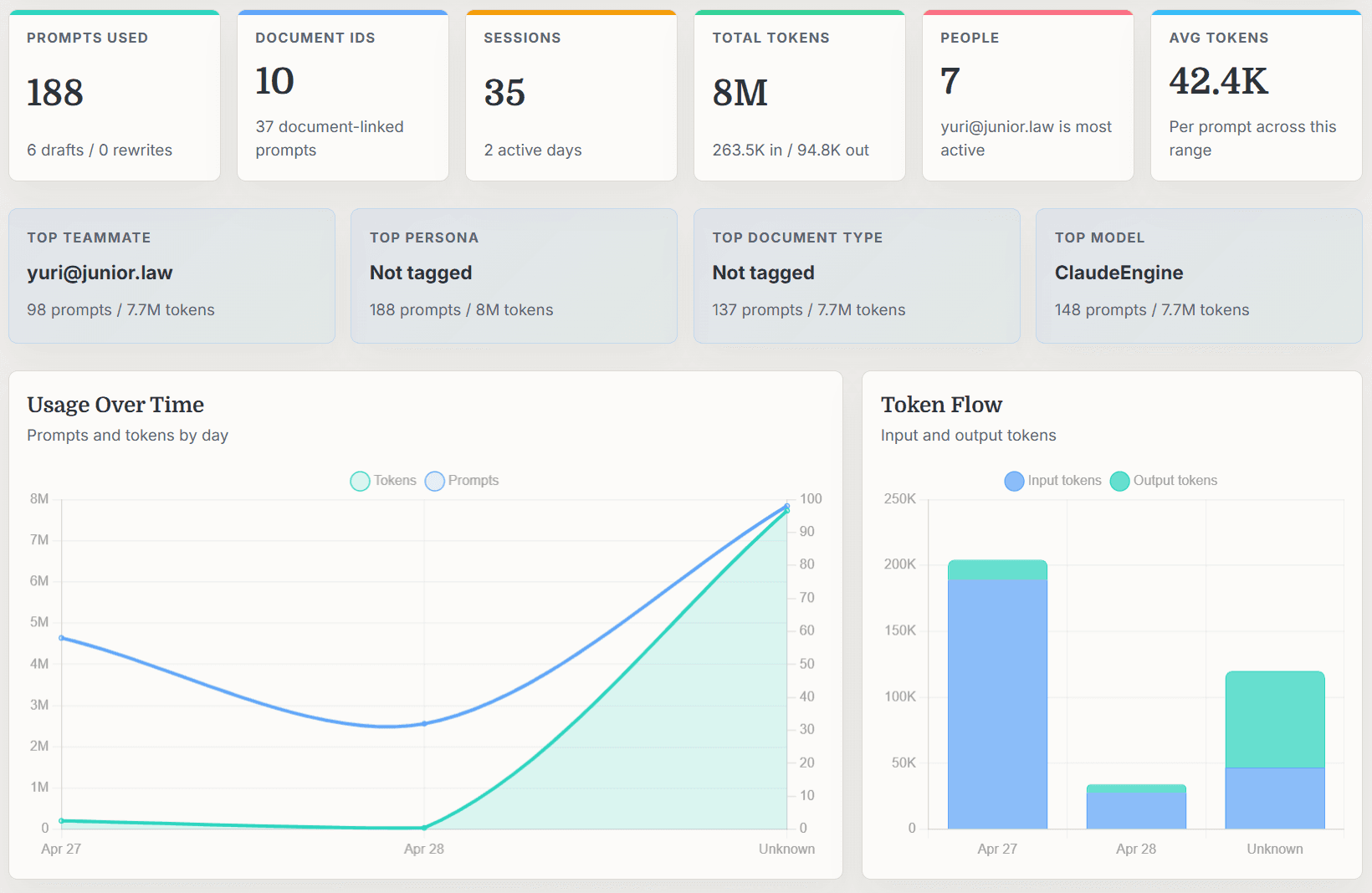
Track how your team uses AI across the organization — prompt counts, token usage, top models, active users, and usage patterns over time.
AI Model Agnostic
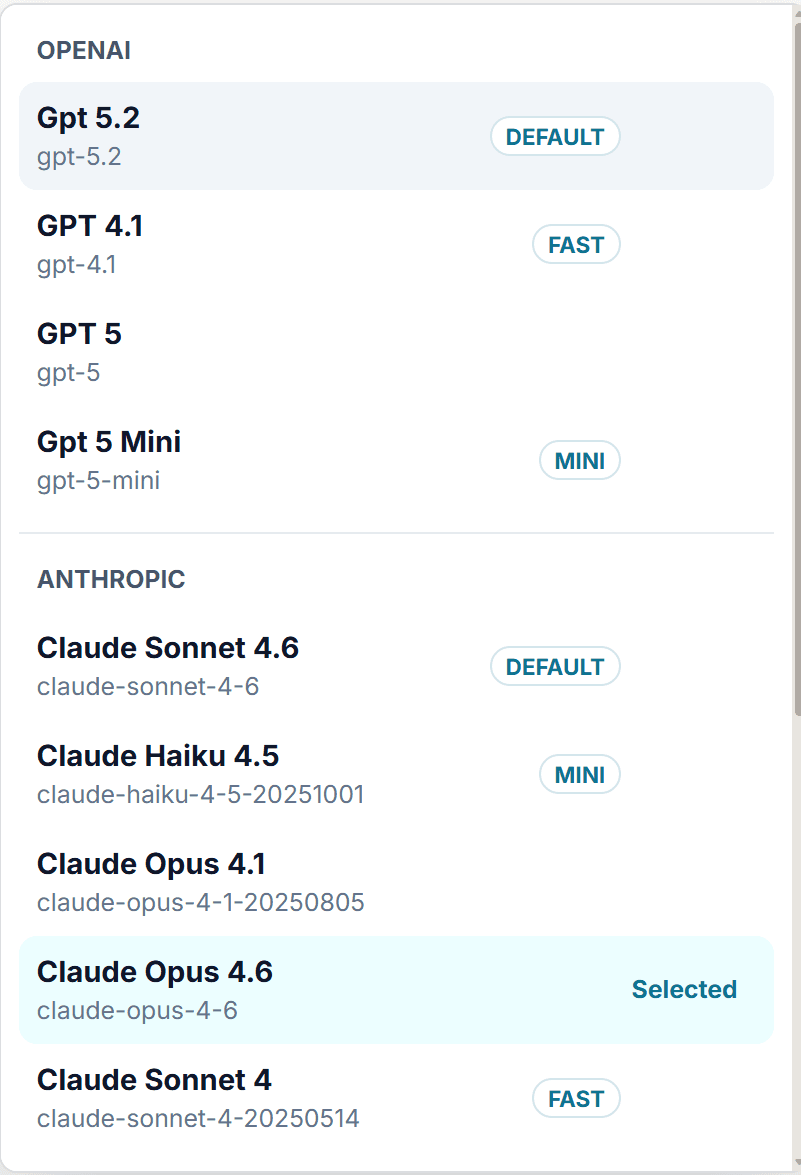
Choose from OpenAI, Anthropic, and more. Switch between GPT 5.2, Claude Opus 4.6, and other models depending on the task at hand.
Patent Family Management
In-Depth Patent Family Analytics and Evolution
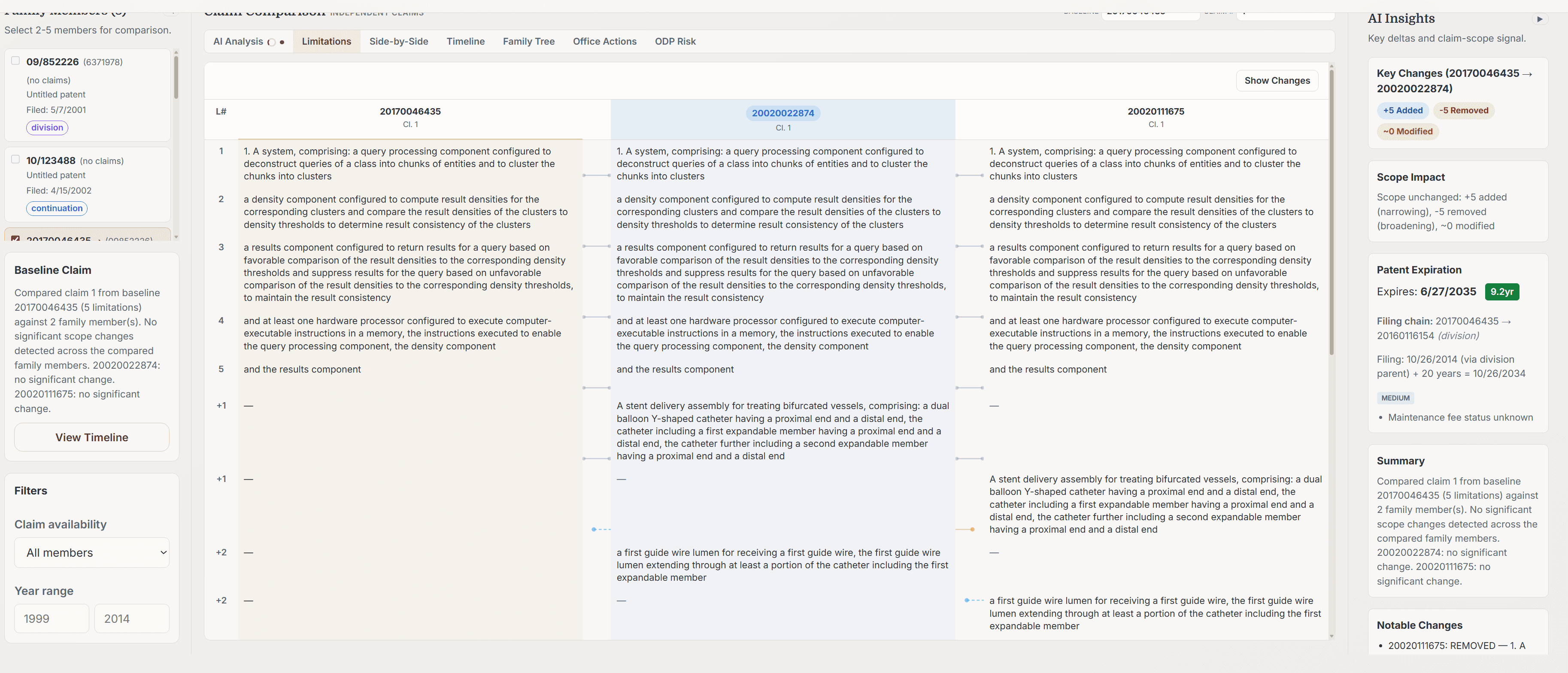
Junior provides in-depth patent family analytics and evolution. Mine unclaimed subject matter, map new claims to products, propose CIPs for additional coverage, and perform other AI-assisted analysis on your patent families.
Enterprise Management
Your Company, Your Brand, Your Outputs
Manage firm-wide LLM consistency with Prompts and Rules Libraries. Manage shared skills across the organization, empowering users with tools organization-wide. Put standards and policies in place governing your enterprise's use of AI.
Prompt and Rules Libraries
Make the outputs generated by your team consistent and under the same standards, no matter who generates. Capture and share the prompts that drive your best work.
Prompt Sequences and Workflows
Build and share prompt stacks for quick first-draft generation of documents. Encode your drafting process into repeatable, sharable workflows.
Matter Taxonomies
Import your own taxonomy on all projects in the Universe. Keep projects integrated with your matter management systems, or have AI propose taxonomies based on context.
Metrics and Usage Analytics
Track usage across models, colleagues, and documents. Visibility for your operations and IT team into how AI is being used across the organization.
Common Questions
What is the difference between Junior and Universe?
Junior is the original patent prosecution engine that works inside Microsoft Word. Universe extends Junior into a full AI workbench for patent intelligence, claim charting, examiner analytics, portfolio analysis, and structured work product.
Will our confidential patent matters be stored or used to train AI?
No. Zero retention. Your confidential patent applications, prosecution strategies, and analyses are processed in transit and never stored. SOC 2 Type II certified. Your data trains only your instance.
How long does it take to set up?
Day one. Universe works immediately. Week one, it starts learning from your patent matters. Week two, first suggestions surface. No templates to engineer. No workflows to redesign.
Does Universe connect to Microsoft Word?
Yes. Do the analysis in Universe — load office actions, chart claims, study examiners, build strategy — then carry that work directly into Word to finish the document.