← Back to Insights
Comparisons
Junior JR3 vs. Claude (Anthropic) for Legal Document Drafting
Claude is among the most capable AI assistants available. But for legal document drafting specifically, attorneys who try Claude often move to JR3 for that job.
JR3 Editorial Team
·
·
6 min read
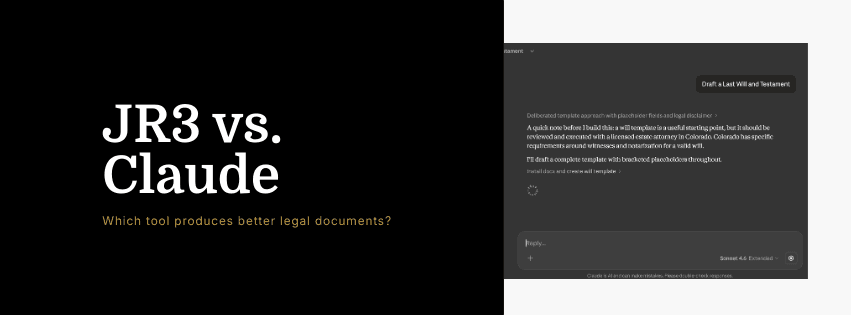
Claude, made by Anthropic, is among the most capable general-purpose AI assistants available. Attorneys use it for research summarization, writing assistance, document review, and analytical tasks. It is a strong general tool.
Junior JR3 is a legal document drafting platform that uses Claude, alongside GPT and Gemini, as one of its underlying models. The distinction matters. This page explains what you get from each and why attorneys who try Claude for legal drafting often move to JR3 for that specific job.
At a Glance
Junior JR3 | Claude (claude.ai) | |
|---|---|---|
Works inside Word | Yes | No |
Works inside Google Docs | Yes | No |
Built for legal documents | Yes | No |
Practice area coverage | 18 areas, 17–41 templates each | General purpose |
Firm-specific style learning | Yes, via TLM | No |
Reasoning objects per document type | Yes | No |
Uses Claude as one model option | Yes | Yes (Claude only) |
Zero data retention | Yes | Varies by plan |
ISO 27001 + SOC 2 Type II | Yes | Varies by plan |
What Claude Does Well
Claude is widely regarded as one of the best general-purpose AI assistants for complex reasoning, nuanced writing, and long-document analysis. Its ability to follow detailed instructions, maintain consistency across long outputs, and handle ambiguous or multi-part tasks makes it a strong choice for attorneys doing analytical work.
Attorneys use Claude to analyze contracts, summarize deposition transcripts, draft client-facing summaries, review briefs for logical consistency, and assist with research synthesis. For those tasks, Claude is a genuinely capable tool.
The Key Distinction: General vs. Purpose-Built
Claude is an assistant. JR3 is a drafting platform built on top of AI models, including Claude. That is not a marketing distinction. It is an architectural one.
When you use Claude directly to draft a legal document, you get the output of a general language model responding to your prompt. The quality depends heavily on how well you prompt it, what context you provide, and how much legal structure you build into your request. Claude will produce a reasonable document. Whether it is structurally complete, practice-area appropriate, and consistent with your firm's conventions depends on what you put in.
When you use JR3, you get the output of a legal-specific architecture applied to your matter. JR3 knows what a motion to dismiss requires before you start. It knows the standard provisions for a commercial lease. It knows what your firm's NDA looks like because it learned from your firm's existing documents. Claude provides the language capability; JR3 provides the legal structure, the practice-area depth, and the firm-specific layer.
Where JR3 Has an Advantage for Legal Drafting
Practice-area reasoning objects
Every document type in JR3 has its own reasoning object: a structured model of how recognized expert practitioners draft that document. This is not a prompt template. It is a deep understanding of what the document requires, what provisions it must contain, and how the sections relate to each other.
When you ask Claude to draft an asset purchase agreement, it draws on its general training. When you use JR3 to draft one, it draws on a reasoning object built specifically for that document type by M&A practitioners. The starting point is different.
Firm-specific Tailored Layer Model
Claude has no knowledge of how your firm drafts. JR3's TLM learns from your firm's existing documents and applies that learning to every output. The result is not just a competent legal document. It is a document that reads like your firm wrote it.
Native integration in Word and Google Docs
Using Claude for legal drafting means working in a chat interface, then copying output into your drafting environment. JR3 works inside Word and Google Docs. The drafting happens where the document lives. There is no workflow interruption, no copy-paste, no context switching.
Zero data retention by design
Claude's data handling depends on whether you are using the consumer interface, a Pro plan, or an enterprise API agreement. By default, conversations may be reviewed by Anthropic for safety and quality. For attorneys handling confidential client matters, that requires careful consideration.
JR3 uses zero data retention by design, regardless of plan. Documents are processed in transit and never stored.
Consistency across the same document type
Claude will produce different outputs for the same document type across different sessions. That variability is a feature for general-purpose use and a liability for legal drafting, where consistency with established firm conventions matters.
JR3's reasoning objects and TLM produce consistent output. The same attorney using JR3 to draft the same document type across different matters gets output that reflects the same structure and the same firm style.
JR3 Uses Claude. That Is a Strength, Not a Conflict.
JR3 is a multi-model platform. It supports Claude, GPT, and Gemini. This means attorneys using JR3 can access Claude's language capability inside a legal-specific architecture, with firm-specific training, practice-area depth, and native Word and Google Docs integration applied on top.
Using Claude directly gives you the model. Using JR3 gives you the model plus the legal drafting layer built around it.
Who Should Use Which Tool
Use Claude directly if:
Your primary need is analytical assistance, document review, research summarization, or general writing tasks
You are not primarily focused on generating complete legal document drafts
You want a capable general assistant for complex multi-part tasks
Use Junior JR3 if:
You are drafting legal documents as your primary work product
You want the language capability of leading AI models inside a legal-specific architecture
You need output that reflects your firm's established drafting conventions
You work in Word or Google Docs and want AI integrated into that environment
You need zero data retention for client-confidential work, without needing a separate enterprise agreement
Frequently Asked Questions
Does JR3 use Claude?
Yes. JR3 is a multi-model platform that supports Claude, GPT, and Gemini. Attorneys can use Claude's language capability inside JR3's legal-specific architecture, with practice-area reasoning objects and firm-specific TLM training applied on top.
Why would I use JR3 instead of just using Claude directly?
Using Claude directly gives you a general-purpose language model responding to your prompts. JR3 adds a legal-specific layer: practice-area reasoning objects that structure the document correctly, firm-specific TLM that reflects your drafting conventions, and native integration inside Word and Google Docs. The model is the same; the architecture around it is what makes JR3 purpose-built for legal drafting.
Is Claude safe for confidential client documents?
It depends on your plan and configuration. Consumer and Pro plans may involve conversation review by Anthropic. Enterprise API agreements offer stronger data protections. JR3 uses zero data retention by design, regardless of plan: documents are processed in transit and never stored.
Can I use Claude inside Microsoft Word?
Not natively. Claude operates through the claude.ai interface and the Anthropic API. JR3 integrates natively into both Microsoft Word and Google Docs, so attorneys draft without leaving their existing environment.
If JR3 uses Claude, am I just paying twice for the same thing?
No. Claude is the language model. JR3 is the legal drafting platform built on top of it. The practice-area reasoning objects, firm-specific TLM, Word and Google Docs integration, and legal document architecture are what JR3 adds. Accessing Claude through JR3 is not the same as using Claude directly, for the same reason that using specialized legal research software is not the same as searching the same underlying databases directly.
See JR3 in action for your practice area
Sign up and get access to all 18 practice areas and the complete template library.