Patent Law
Built by Patent Attorneys to Solve Real Drafting Challenges
Watch how Junior, built for patent drafting automation, studies your work to help you draft patents consistent with applicant and practice group guidelines.
Trusted by Leading Organizations










See How Patent Drafting Gets Faster
See how Junior accelerates patent drafting with section-by-section AI, claim structuring, and specification depth controls — all inside Microsoft Word.
How It Works
Junior Doesn't Change Your Workflow. It Accelerates it.
Seamlessly integrated into Microsoft Word, Junior works where you already do. Generate instant drafts, create custom AI agents that learn your style, and build reusable prompt libraries, all without leaving your document or changing your workflow.
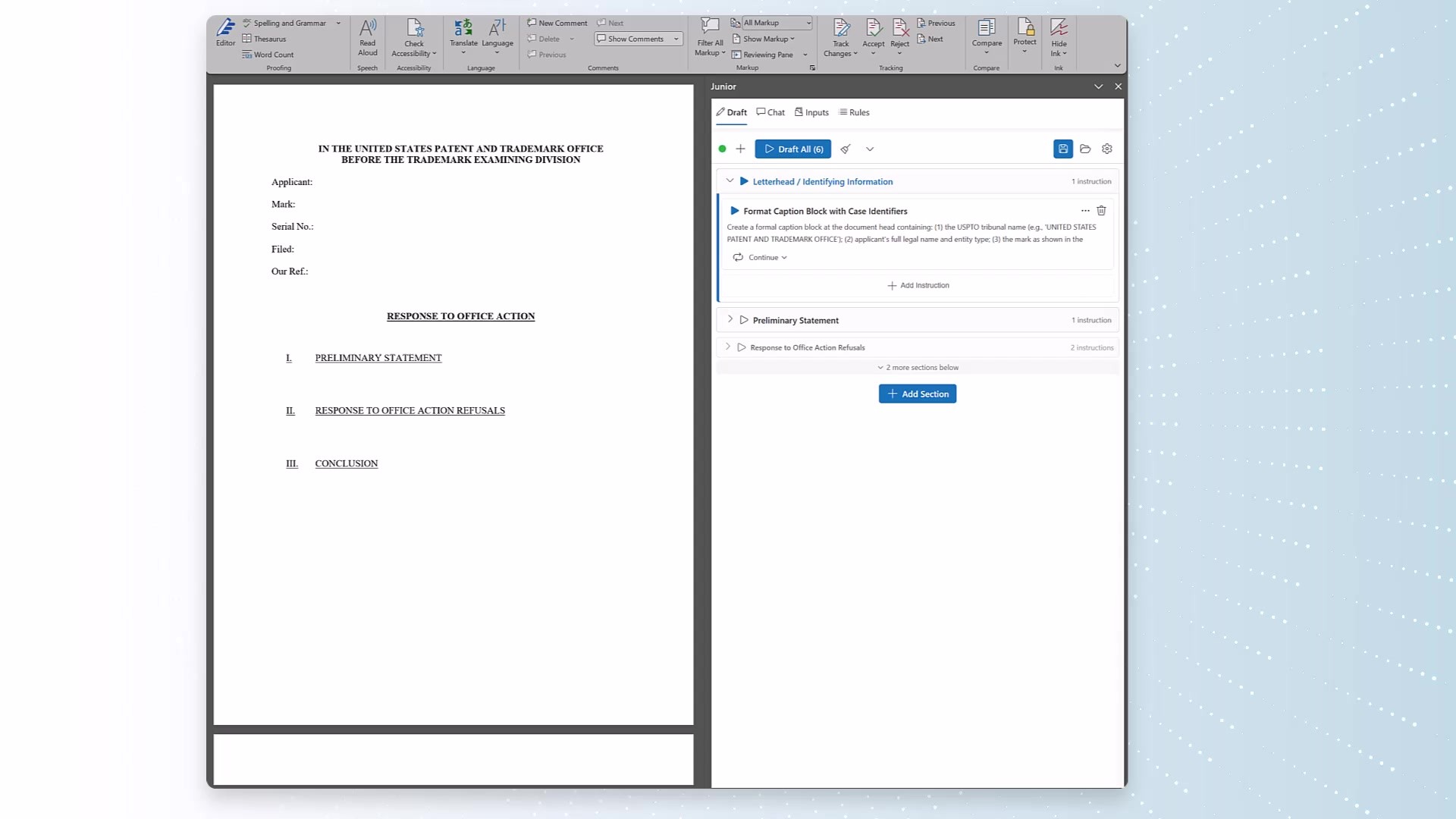
01
Launch Junior in Microsoft Word
Open Junior directly in your document — it's already where you work.

02
Draft in Minutes
Generate complete drafts using Auto-Pilot, build out sections using prompts, or let custom agents replicate your entire workflow.
03
Edit & File with Confidence
Review, refine, and finalize. Junior ensures your work meets your firm's quality standards.
Highlights
Key functions that make Junior your essential patent drafting companion
JR3's Latest Patent Drafting Features
Inside JR3's Platform

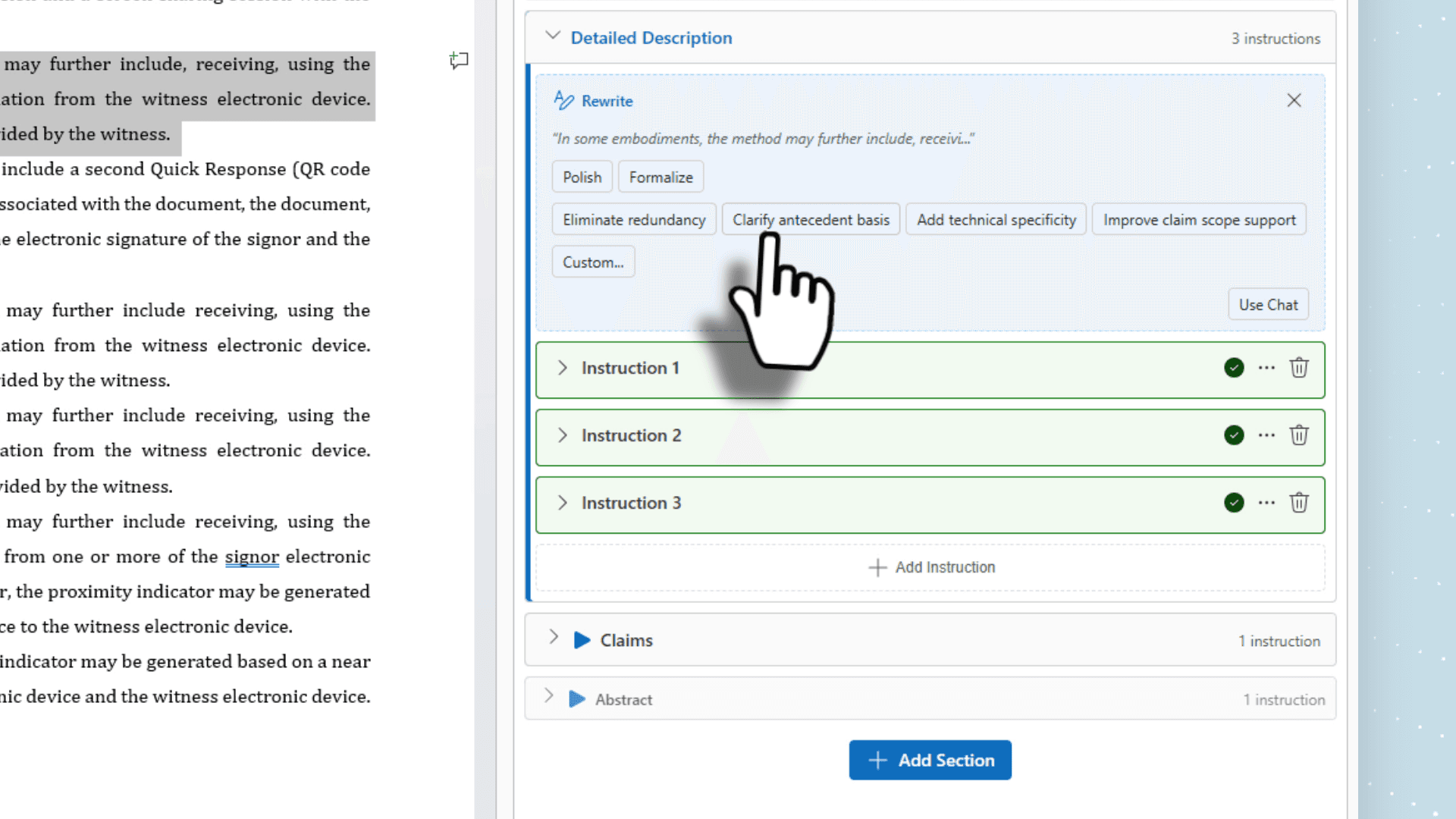
Fine-Tune Drafting Controls
Adjust broadening, narrowing, technical precision, and defensive coverage with patent-specific AI controls.

Review & Accept Specifications
AI-generated reference numerals and specification text, reviewed and accepted with one click.
Common Questions
Will this work for our specific approach to patent prosecution?
Yes. JR3 applies your actual work: your approach to claim drafting, your 101/102/103 response strategies, your continuation practices, and your specification style. It adapts to your firm, not a generic template.
What's the difference between Junior and JR3?
Junior is the original patent prosecution engine, the foundation everything else was built on. JR3 is the full platform that extends Junior's capabilities across every practice area. For patent work, you're getting the most mature, battle-tested part of the entire system. Visit junior.law to see how Junior works independently for patent prosecution.
Will our confidential patent matters be stored or used to train public AI?
No. Zero retention. Your confidential patent applications, prosecution strategies, inventor disclosures, and prior art analyses are processed in transit and never stored. SOC 2 Type II certified. Your data trains only your instance.
How long does it take to set up?
Day one. JR3 works inside Word and Google Docs. Week one, it starts learning from your patent matters. Week two, first suggestions surface. No templates to engineer. No workflows to redesign.
The ROI is Clear
Junior delivers measurable results for your practice and your bottom line.
Faster Drafting = More Capacity
Handle more matters with your existing team, or give practitioners bandwidth for higher-value work.
Better Margins on Every Matter
Reduce time per draft while maintaining quality, especially critical for fixed-fee and volume work.
An Investment that Grows with You
Unlike staffing, every hour invested in Junior builds compounding value that doesn't walk out the door.
Enterprise-grade Security
Enterprise-grade encryption, zero data retention, and SOC 2 compliance mean you can adopt AI without compromising client confidentiality or regulatory requirements.
Related Document Types
Ready to streamline your patent drafting?
Book a live demo and see Junior in action.